
Appearance
Overview & Quickstart
NeuLitTrace retrieves literature on rare and underexplored neuroimaging findings. Given a clinical query describing a PET or MRI observation, it searches a fixed corpus of case reports and research papers, weights rare conditions higher than common ones, applies a self-correcting loop to refine the search, and returns a sourced summary where each claim traces back to a specific paper via numbered citations.
Introduction
What it does
The system works in two phases: retrieval and summary generation.
Retrieval and search refinement. You submit a query describing an imaging finding. The pipeline expands your query using HyDE (Hypothetical Document Embeddings), then searches the corpus using hybrid ranking that combines BM25 text matching with semantic vector similarity, biased toward rare conditions. An LLM evaluates whether results are relevant to your question. If relevance is low, the system refines the query and retries. Once relevant papers are found, it passes their abstracts forward.
Summary generation. The LLM reads all retrieved abstracts and writes a summary that answers your query, attaching a [1], [2], etc. citation marker to each claim. A second LLM verification pass checks every citation against its source abstract to confirm the claim is accurate before showing it to you.
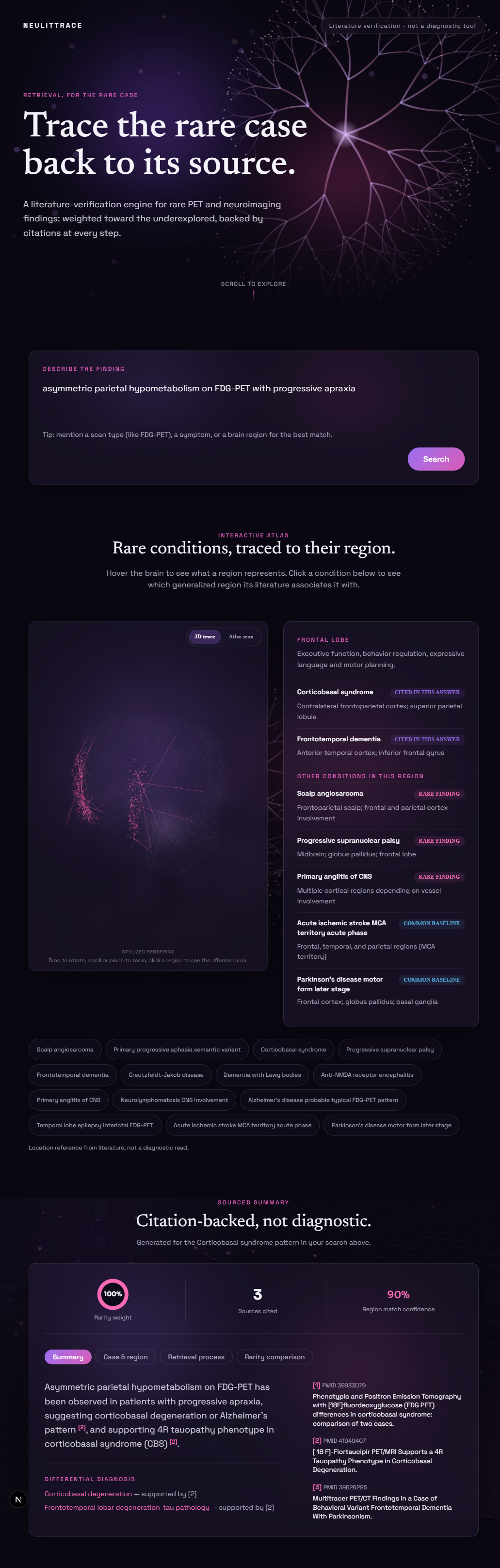
Brain region visualization. The system also renders an interactive brain-surface map highlighting where the literature associates findings with a given condition. Each condition maps to a curated anatomical atlas label used for this lookup.
All LLM work uses Groq's llama-3.3-70b-versatile model. Most calls (HyDE expansion, relevance checks, query refinement) route through Paritok's proxy; the summary-generation call goes directly to Groq, with Paritok's compression pipeline called separately beforehand to shrink the large abstract bundle. See the Paritok Integration page for the full routing breakdown and measured token savings.
Scope
NeuLitTrace is a research tool for literature reference. The atlas visualization shows where literature describes findings, not a diagnostic map. Every piece of generated text includes a disclaimer that the tool is for research reference only, not clinical advice or diagnosis. Read the API documentation to see the exact system prompts.
The corpus is fixed: 329 papers across 14 conditions (10 rare, 4 common for comparison), loaded once rather than fetched live per query. Results depend entirely on what is in this dataset, so a query about a condition outside these 14 returns no_match=True with suggested nearby conditions instead of a summary.
Growing the corpus. The 14-condition scope was set deliberately for the hackathon build to keep retrieval quality and evaluation numbers verifiable end to end. Since the corpus is fetched automatically from PubMed rather than hand-curated, widening coverage is a small, mechanical change; see Data Model: Corpus Records for the exact steps.
Known Limitations
- Depth-first literature coverage. The corpus currently spans 14 hand-selected conditions, a scope chosen to prove the verification pipeline holds up against the hardest case first, sparse and inconsistent rare-disease literature, before expanding breadth on top of a foundation that already works. Future work will scale ingestion to a live PubMed/Orphanet pipeline with automated quality filtering, so new conditions can be added without re-validating the whole system by hand.
- Transparent citation flagging. The citation checker labels unsupported claims and preserves them in the output, because a clinical-adjacent tool should let the user judge uncertainty rather than have the system hide it. Future work will let users filter or re-rank summaries by verification confidence directly in the interface, turning the flag from a passive label into an active control.
- Request throttling under active development. The API enforces per-endpoint rate limits, 10 requests per minute on query endpoints and 20 per minute on atlas lookups, a constraint set by the hackathon's Groq and Paritok quota ceilings during single-developer testing, and requests over the limit receive a proper 429 response with rate-limit headers rather than a silent drop. Future work will add usage-based tiers and a request queue, so demand beyond the free quota degrades gracefully instead of hitting a hard wall.
Quickstart
Backend
Start the API server:
bash
backend/venv/Scripts/python -m uvicorn backend.api.main:app --reload --port 8000(On macOS or Linux, use backend/venv/bin/python instead of backend/venv/Scripts/python.)
Before running, create a .env file in the repository root with:
OPENAI_BASE_URL=http://127.0.0.1:8080
OPENAI_API_KEY=<your-api-key>
The backend will load this file on startup and use it for all LLM calls.
Frontend
Start the Next.js development server:
bash
cd frontend
npm run dev
Then open http://localhost:3000 in your browser. The frontend will connect to the backend at http://localhost:8000 by default. If your backend runs on a different port, set NEXT_PUBLIC_API_BASE_URL in a .env.local file inside the frontend/ directory.
Reproducible demo
To run the full pipeline with the same query and corpus state every time (useful for testing or demos), run this from the repository root:
bash
python -m backend.seedThis executes a fixed query through the retrieval and summary pipeline and writes the output to backend/data/seed_output.json. (Running python backend/seed.py directly fails with ModuleNotFoundError: No module named 'backend', since the script uses absolute imports that require the repo root on sys.path.)
Using NeuLitTrace
A short walkthrough of a single query, captured from the running app.
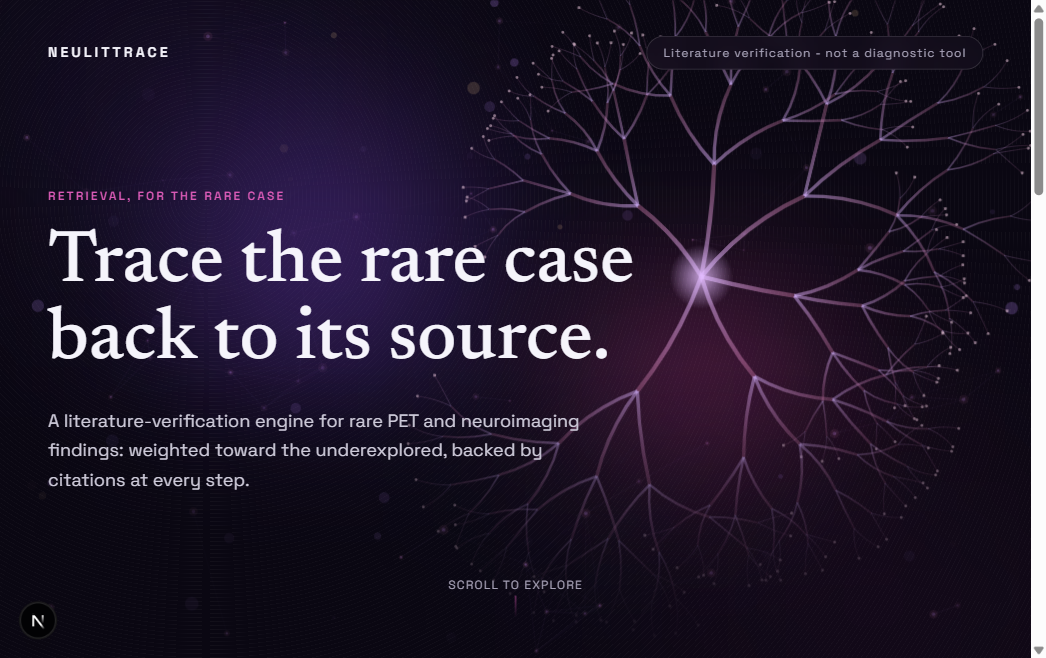
1. Describe the finding. Type a plain-language description of the imaging observation into the search box.
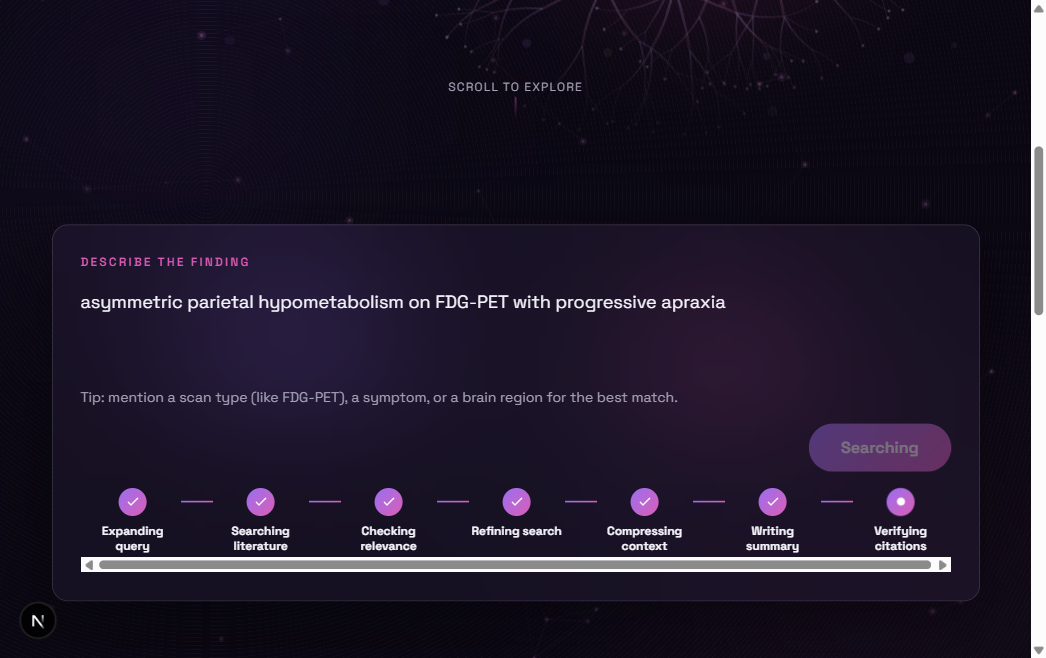
2. Submit the query. Press Search. The pipeline runs the search loop and summary generation, which can take up to 170 seconds.
3. Read the sourced summary. The result highlights the matched brain region on the atlas and shows a summary with numbered citation markers, each linking to its source paper below.
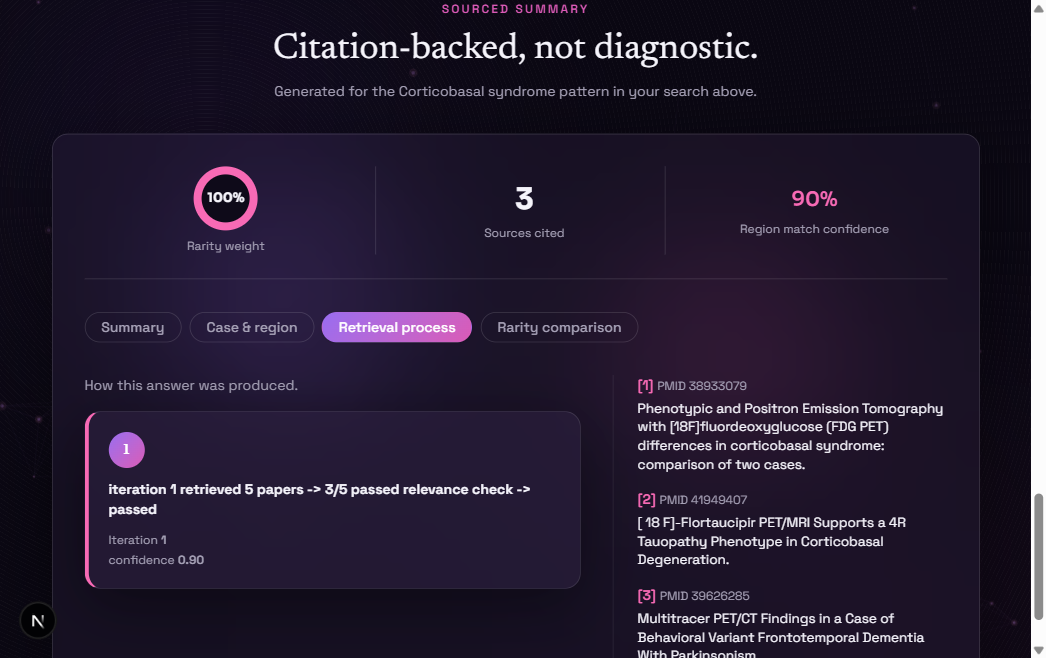
4. Inspect the retrieval process. Switch to the "Retrieval process" tab to see each search loop iteration, its confidence score, and whether it passed the relevance check.
Related Documentation
- Architecture: system components, data flow, and how retrieval ranking works
- Search Loop: how the query refinement loop decides when to retry
- Why Paritok: what Paritok's compression pipeline does for this project and why it was worth integrating
- Paritok Integration and Measured Numbers: how token compression works and what we measured
- Data Model: Corpus Records: condition definitions and paper metadata
- API Reference: detailed endpoint docs, request/response shapes, rate limits